

Welcome!
Welcome to our group! These tips will get you started as a HiWi or Bachelor/Master thesis student at our chair if. Most of this applies to you as a new PhD student as well, but in addition please read our welcome page for new PhD students.
Who to talk to
- The first person to talk to if you have any questions is always the PhD Student ("Assistant") that you work with.
- Clarissa can help you with your contract and small order reimbursements. Please talk to her before you spend any money that you plan to get back from our chair.
- Our i10 Help Desk, headed by Jan Erik, will help you with any technical questions your PhD student can't solve. Just create a ticket by emailing
This email address is being protected from spambots. You need JavaScript enabled to view it. for the fastest response. It also has an extensive FAQ of common issues to answer your question directly. Please don't email/call/visit these helpdesk folks if you can put your problem in a ticket instead. - Should you ever encounter any problems or questions that you cannot resolve with your advising PhD student, Clarissa, and the Help Desk, contact Jan directly on Slack. Send him the facts and problems, and talk to him in person to discuss the issue. Don't wait until you have lost months of your time because of something—we're here to help.
What to do to get started
First Day
Start by printing the  Welcome-checklist.pdf. Then complete the tasks on the list one-by-one to get started!
Next Steps
- Review our guides and the i10 Help Desk FAQ for basic information about printing, scanning, making phone calls, etc.
- Check our lab hours to understand when others are around, and when you should be around.
- Read the hardware purchasing guide if you need to buy things to get your work done.
- Activate your calendar.
- If you need to write code, read our i10 coding guidelines before you start.
Regular Events @ i10
- Mon–Fri 11:45–12:30: Lunch. We usually leave at 11:45 to get a light lunch from the bakery, mensa, cafeteria, or bring stuff from home, then meet in the kitchen to have lunch together. (Staff and Hiwi/thesis students)
- Monday 09:30–10:30: Research Breakfast (Jan and PhD students)
- Thursday 13:00–14:00: Club i10. A weekly group meeting where you can catch other thesis students' kickoff and final talks, trip reports (e.g., from CHI), and conference practice talks from our PhD students, where you can meet interesting guests visiting our chair, and where we discuss plans and projects in general. Everybody, whether PhD, Hiwi or thesis student, is expected to attend.
- See our i10 group calendar "i10 Events" for current times and more events
Additional Stuff
- Check out our custom i10 software utilities to quickly check today's Mensa menu, type umlauts on a U.S. keyboard, etc.
- Read Jan's file READ ME FIRST.rtf on the Public volume of our file server, oliver, and follow the guidelines there for naming conventions and folder structures when you put stuff on oliver
- Get a T-Shirt
- Please use the official logo and templates, located under oliver/Public/Public Relations, for all i10 presentations or posters
- If you find any broken or missing equipment (hardware or software), please email the
This email address is being protected from spambots. You need JavaScript enabled to view it. with a brief description of the problem. We will try to fix it as soon as possible. - Coffee and soft drinks are charged using the iPads on the drinks fridge and near the coffee machine in the kitchen.
- And when it's time to leave our chair, please check our Bye page for helpful information what to do.
Emergency Information
Please remember these simple but possibly life-saving facts:
- Clarissa and René are trained first-aid helpers — if you find someone who, say, went into shock after waking a Mac from sleep to find Windows running on it, and you don't know what to do, get one of them.
- First-aid boxes are located in the kitchen and in the Fab Lab
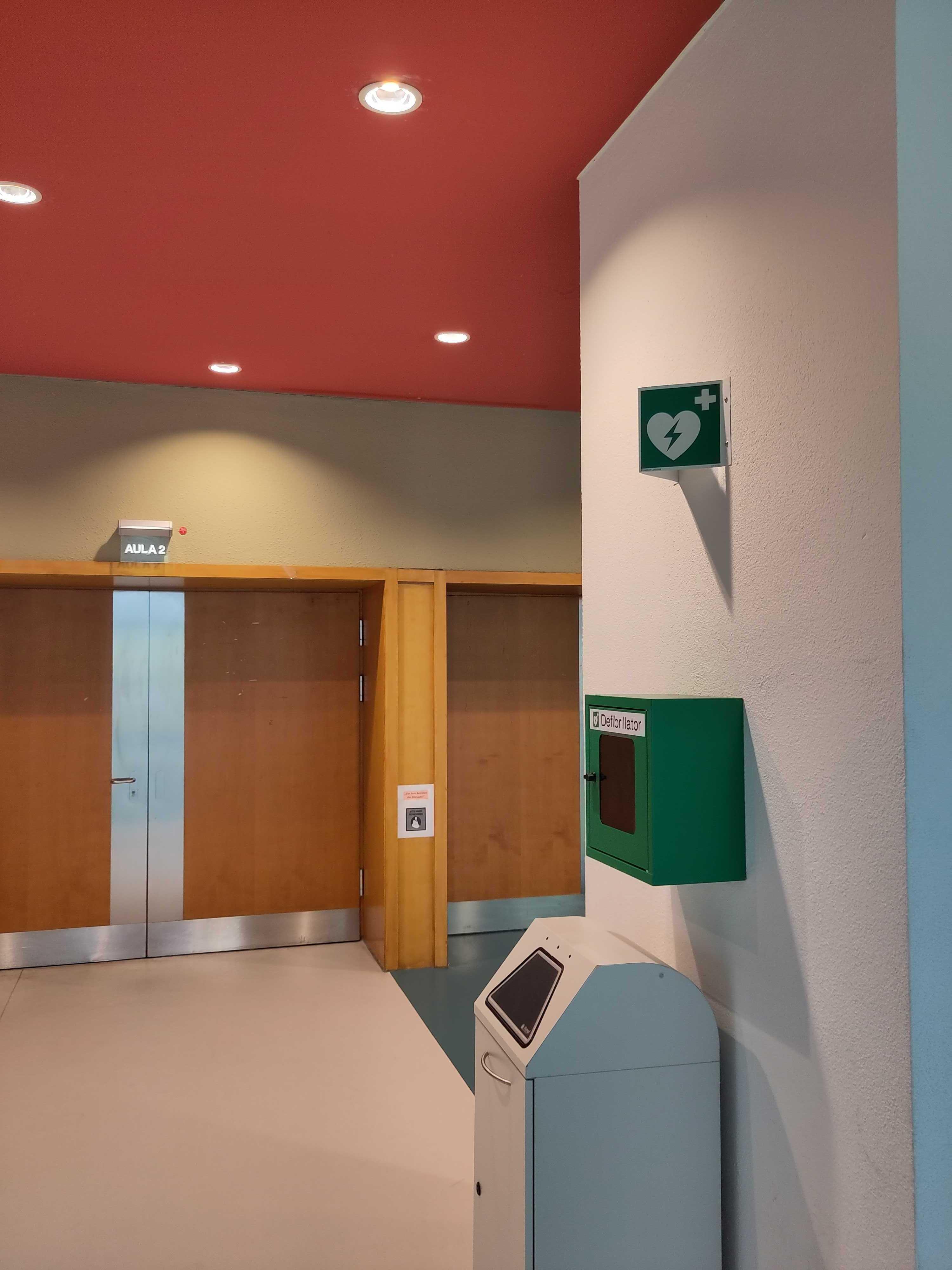
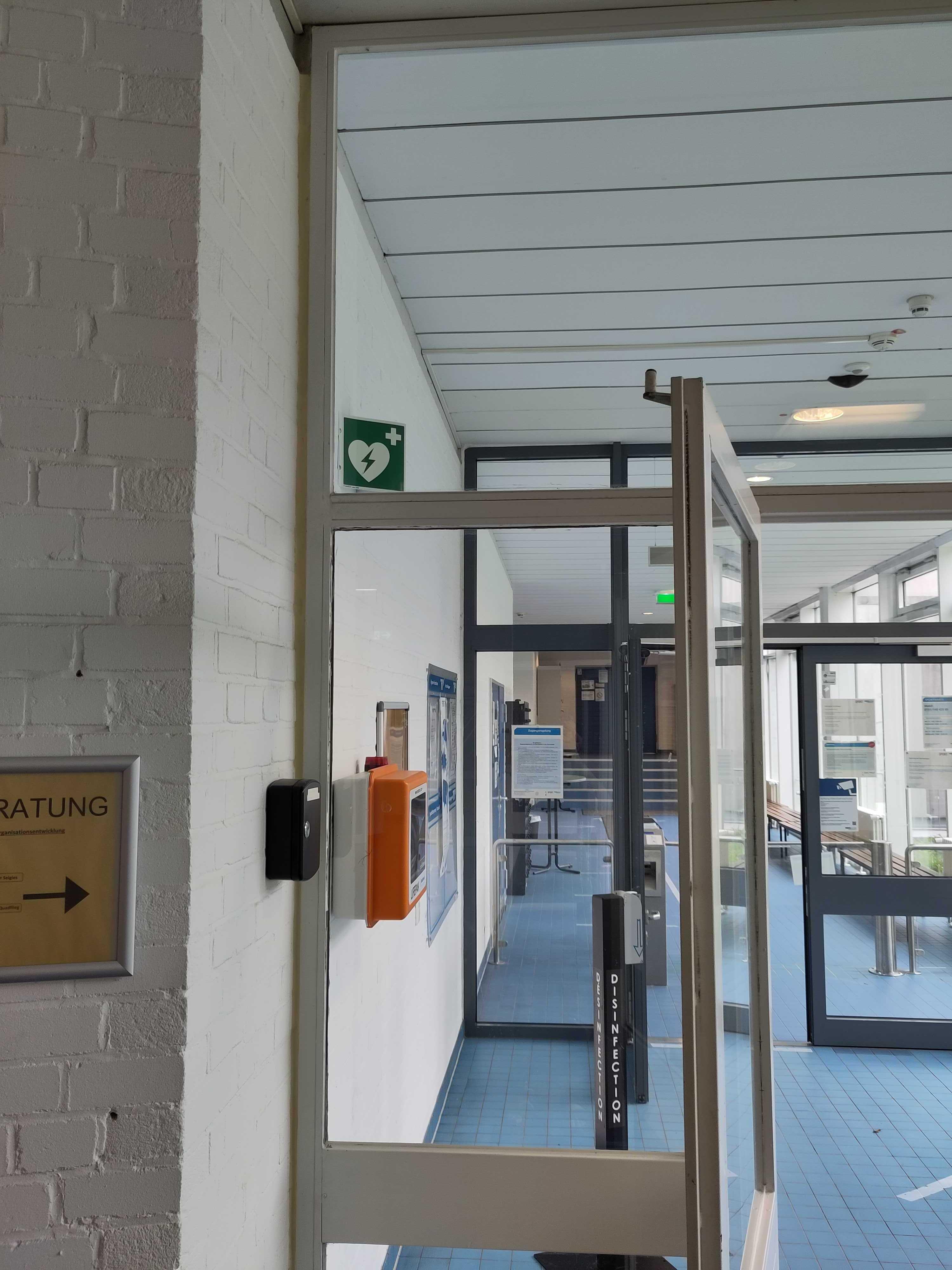
- For heart attacks, two new defibrillator is downstairs in the sports tract. One is located in front of the Aula 2 and the other is downstairs in front of the sports hall. Both are designed to be usable by anybody (it checks ECG heart activity automatically before applying shock).
Apart from that, have fun, and remember the Secret Motto:
And We Get Paid For This!
— Jan